How to add NONCE in Wordpress comments Manually
The nonce, short for ‘number used once,’ is a unique token generated for each form submission. It ensures that your form (e.g., contact form, comment form, sign-up form, login form) is downloaded and filled out from your website and not from a malicious third-party site. The nonce is crucial in preventing cross-site request forgery (CSRF) attacks. While there are thousands of WordPress plugins to add nonce in your comment form, you can add the features manually with the help of a text editor.
These are the steps to add a nonce to your WordPress comment form.
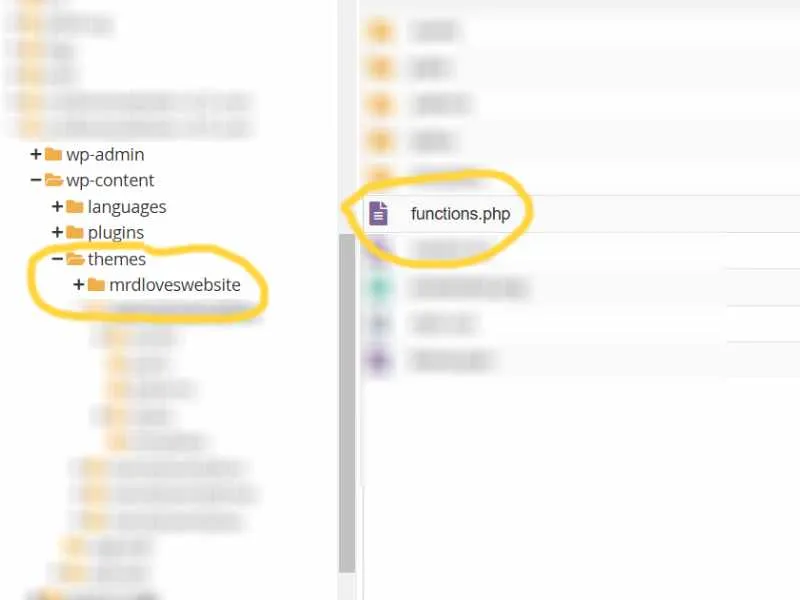
Find your theme and locate the function.php file
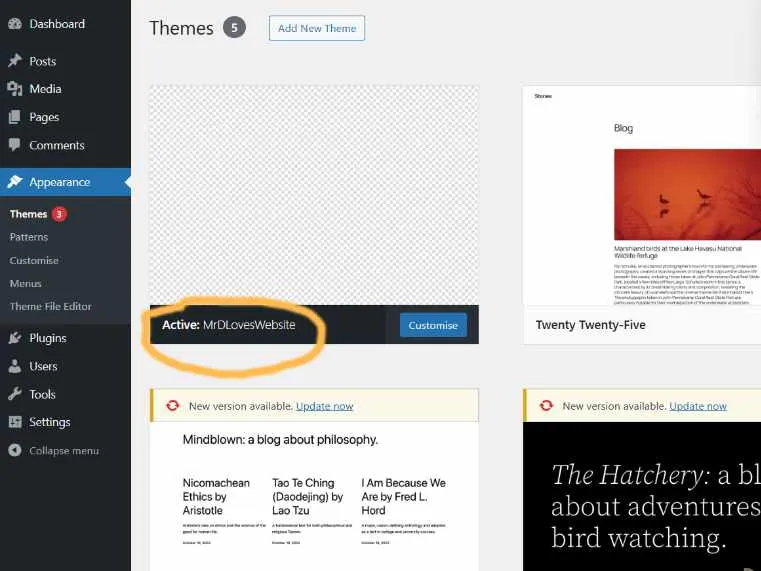
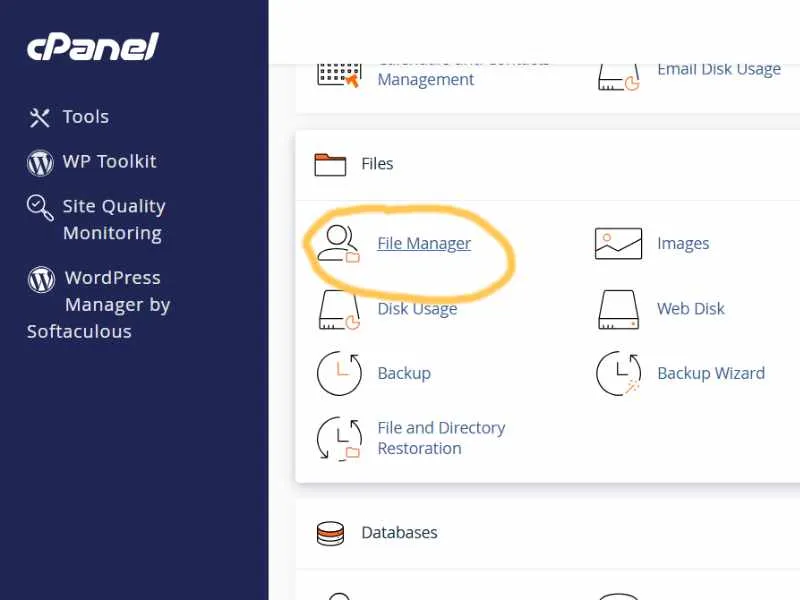
The function.php is usually in the ‘/wp-content/themes/theme_name‘ folder. Use your cpanel File Manager to open it.
Adding the nonce
Copy and paste this code.
### function.php

/* Add nonce before form submission */
function handle_comment_form($post_id) {
    wp_nonce_field('comment_nonce', '_nonce');
}
add_action('comment_form', 'handle_comment_form');

function handle_comment_nonce($post_id) {
    if(!wp_verify_nonce($_REQUEST['_nonce'], 'comment_nonce')) {
        /* Nonce check fail for the comment submitted */
        die();
    }
}
add_action('pre_comment_on_post', 'handle_comment_nonce');
The first part of the code will add additional ‘input’ to the comment form, which contains the nonce under _nonce name. The second part of the code will check if the nonce number submitted during the comment submission is correct.